Step 1
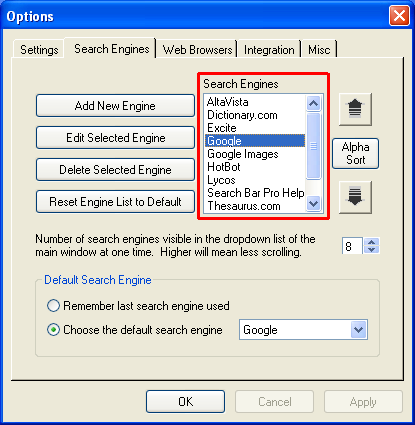 Select the search engine, URL, or search group you want to delete. Select the search engine, URL, or search group you want to delete.
Step 2
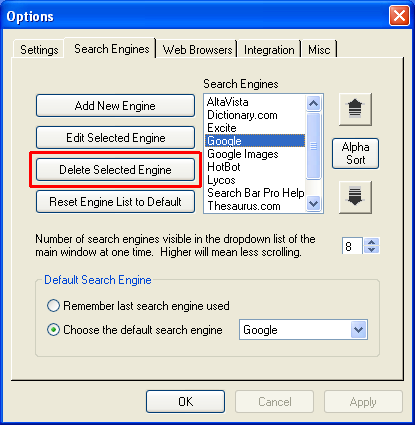 Click Delete Selected Engine. Click Delete Selected Engine.
This will delete the search engine you have selected in the search engine list.
If the search engine or URL you have selected is part of a search group, Search Bar Pro will show you a list the search groups that will be affected by removing this search engine. If you choose yes, then the search engine will be removed from the search groups. If you select yes, and that search engine was the only member of a search group, Search Bar Pro will alert you that the search group will be removed because all search groups must have at least one member.
If you choose no at any time, the search engine will not be deleted.
|
|

