Step 1
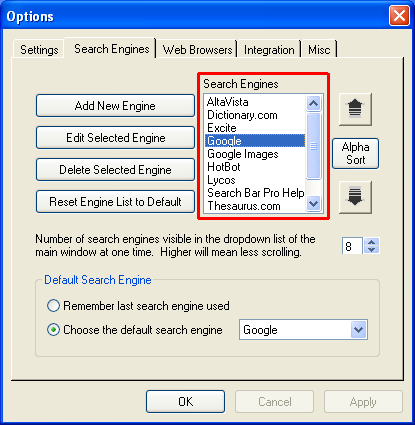 Select the search engine you want to change. Select the search engine you want to change.
Step 2
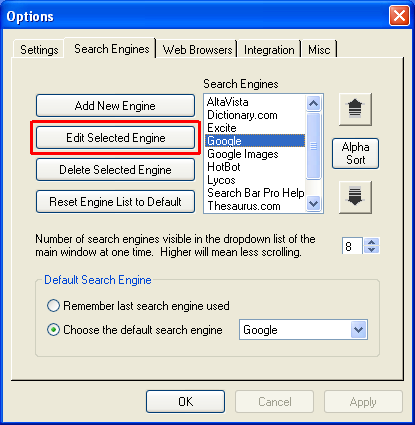 Click the Edit Selected Engine. Click the Edit Selected Engine.
Step 3
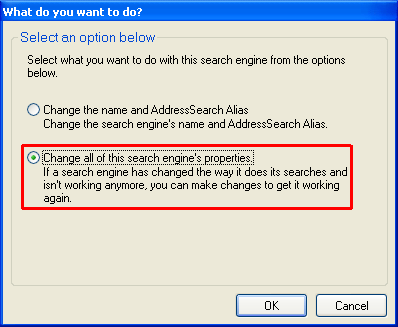 Choose "Change all of this search engine's properties" and click OK. Choose "Change all of this search engine's properties" and click OK.
Step 4
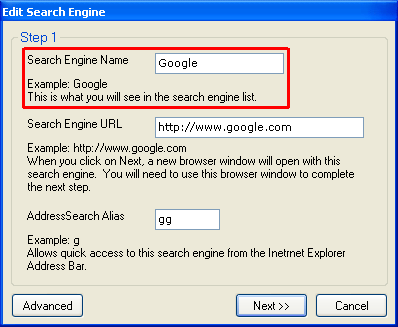 Type the name of the search engine in the Search Engine Name textbox. Type the name of the search engine in the Search Engine Name textbox.
Step 5
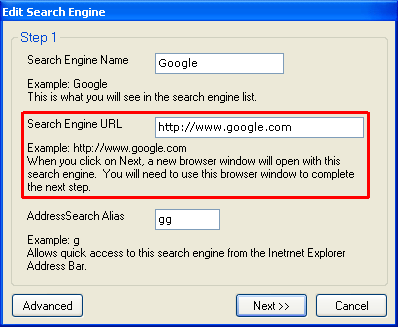 Type the address of the search engine in the Search Engine URL textbox. Then click on Next. Type the address of the search engine in the Search Engine URL textbox. Then click on Next.
Search Bar Pro will then open a new web browser window at the search engine website.
Step 6
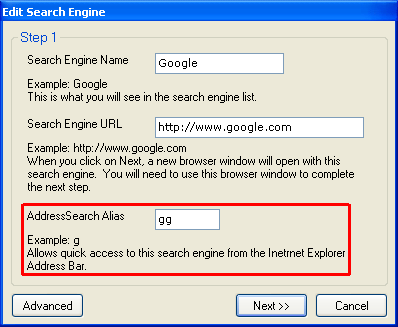 If you want to be able to access this search engine via AddressSearch, enter an AddressSearch Alias. There is not limit on length, however you will be able to type short aliases more quickly. If you want to be able to access this search engine via AddressSearch, enter an AddressSearch Alias. There is not limit on length, however you will be able to type short aliases more quickly.
Step 7
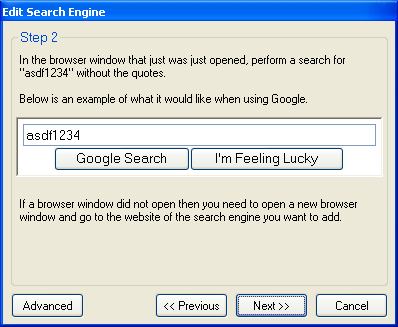 Once the search engine website has loaded, perform a search using "asdf1234" as the search term, but don't include the quotation marks. Once the search engine website has loaded, perform a search using "asdf1234" as the search term, but don't include the quotation marks.
Step 8
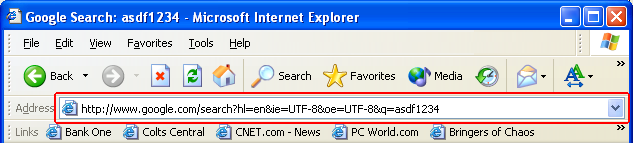 After performing the search, copy the address shown in your web browser to the clipboard. After performing the search, copy the address shown in your web browser to the clipboard.
Step 9
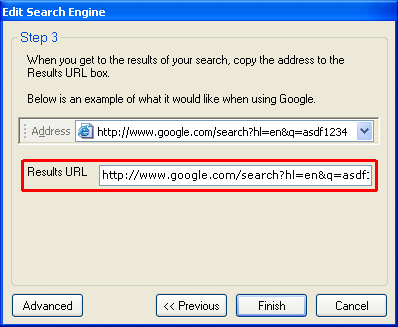 Paste the address from the clipboard to the Results URL text box. Then click Finish. Paste the address from the clipboard to the Results URL text box. Then click Finish.
|
|

