This method of editing a search engine is for advanced users only. You need to have an understanding of search engines and the results.
Step 1
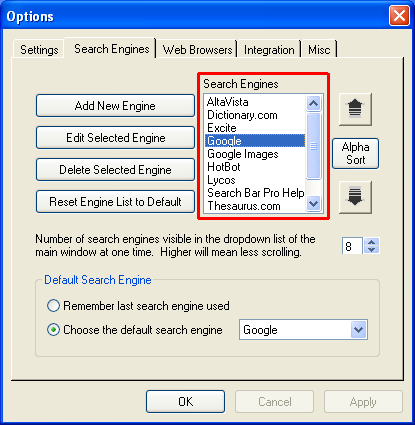 Select the search engine you want to change. Select the search engine you want to change.
Step 2
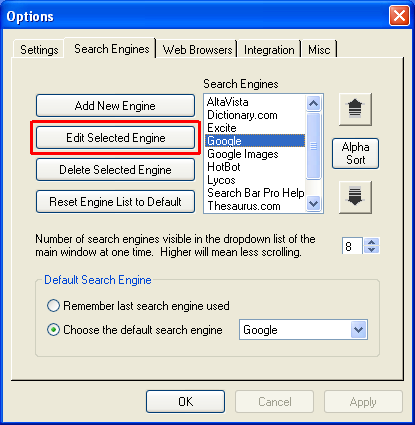 Click the Edit Selected Engine. Click the Edit Selected Engine.
Step 3
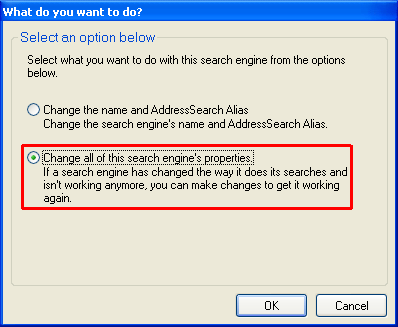 Choose "Change all of this search engine's properties" and click OK. Choose "Change all of this search engine's properties" and click OK.
Step 4
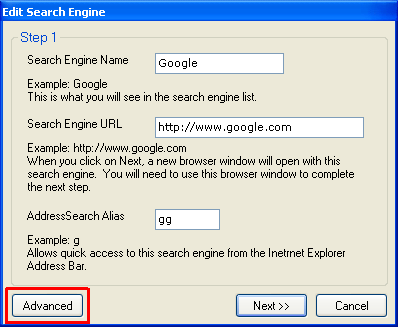 Click Advanced. Click Advanced.
Step 5
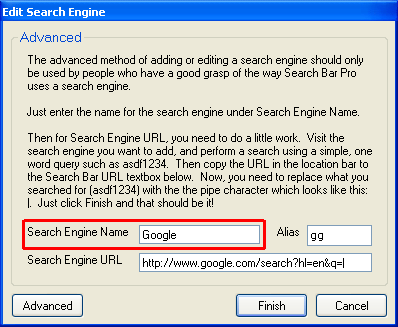 Enter the search engine name. Enter the search engine name.
Step 6
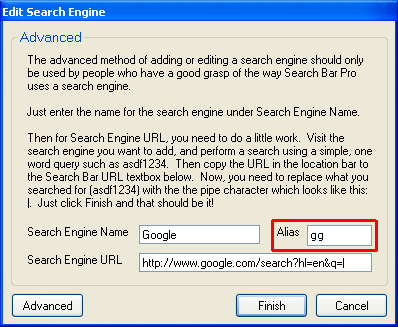 If you want to access this search engine via AddressSearch, enter an AddressSearch Alias. If you want to access this search engine via AddressSearch, enter an AddressSearch Alias.
Step 7
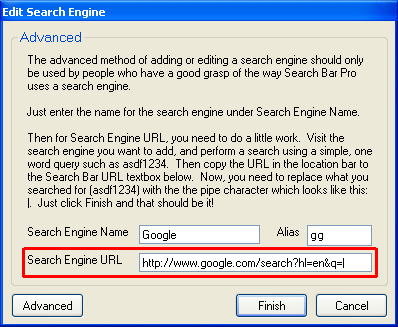 Visit the search engine you want to add, and perform a search using a simple, one word query such as asdf1234. Then copy the URL in the location bar to the Search Engine URL textbox below. Now, you need to replace what you searched for (asdf1234) with the the pipe character which looks like this: |. Visit the search engine you want to add, and perform a search using a simple, one word query such as asdf1234. Then copy the URL in the location bar to the Search Engine URL textbox below. Now, you need to replace what you searched for (asdf1234) with the the pipe character which looks like this: |.
Step 8
When you are finished making changes, click Finish.
|
|

